
Crowdfunding through Itch… Itchfunding!
Here’s some handy guidance around using the platform itch.io as a funding platform. Good for games, I believe.
How to set up Itchfunding
Via this thread on the hellsite.
Crowdfunding is asking people to give you money to make, polish, or complete you work. For itchfunding, there isn’t a good refund or ‘all or nothing’ system like KS or Indiegogo. So, I recommend having your project in a playable state people can download immediately!
One of the huge benefits of itchfunding is you can run your campaign as long as you want. It doesn’t have to end after 30 or even 180 days. It’s a slower way of funding. Lets set up your campaign: * Build the game page * Configure rewards * Create graphics * Put it on Sale
Building the game page is just like any other game you put on itch. But you want to make sure you let people know that you are funding the production of the game, and that this isn’t a completed project! Set Release Status to In Development Add a Tag as “itchfunding”.
In your game’s write up, make it clear what you’re raising the money to do and what is missing from the file that the backers have access to today.
To have multiple tiers and rewards, use the Rewards Tab under “More”. You can specify a price, description and quantity. Select “New Purchases & Downloads require a reward”. So every purchase gets categorized.
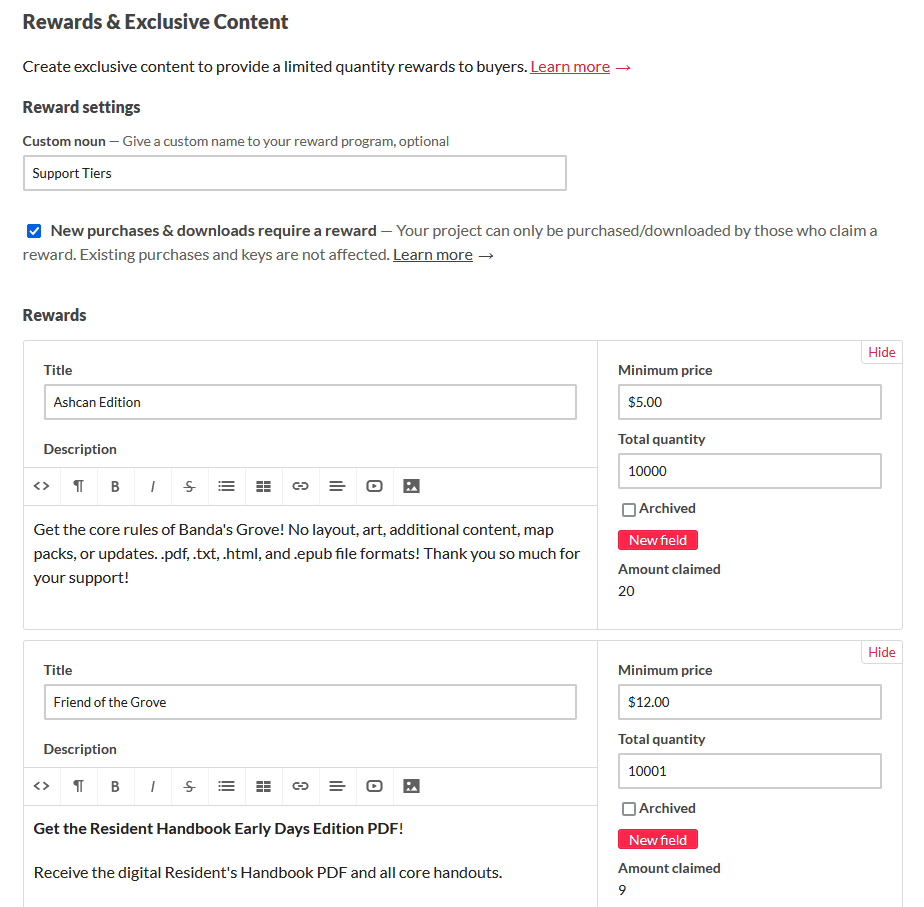
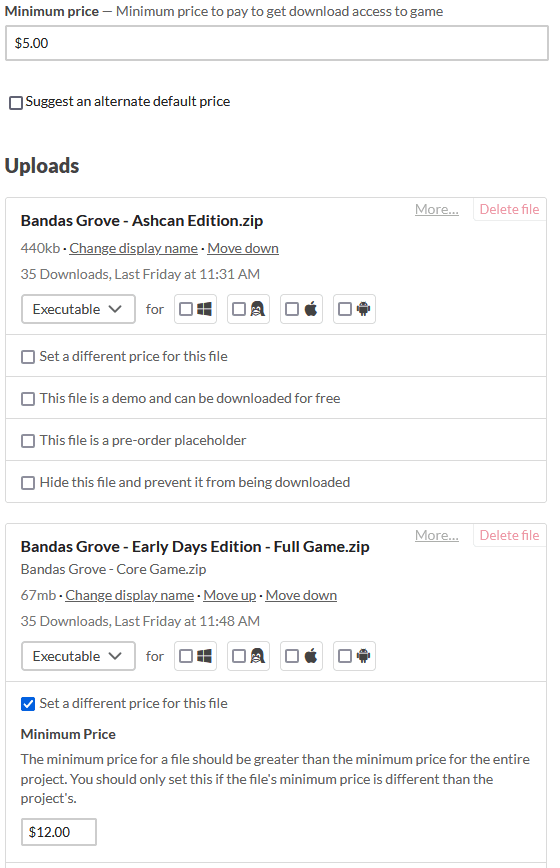
If you have multiple files at different prices, be aware that itchio unlocks files based on purchase price, not rewards. If you have a $5 and $10 file and someone pays $10, they will get access to both. So add-ons don’t work and you need to name your files clearly!
When setting up different PDFs/files, make sure that their minimum prices and the rewards price all line up!
Using rewards also allows for non-digital-file rewards, such as collecting information to send people a postcard, physical object, or allow ‘behind the scenes access’.
For graphics, have your tiers in a graphic on the side bar and a fun funding goal graphic you can fill in! Request Custom CSS access! Why? Because you will want to remove the top buy button so buyers go to reward buttons! Request it here.
After you have custom CSS, edit your game page’s theme and add the following to your Custom CSS box:
.buy_row { display: none; }
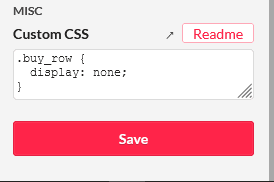
It takes about a week to be granted access, so do it early!
If your page is a little long, create a link at the top that takes backers directly to your rewards.
e.g. page.com#rewards
Now that your page is setup, you’re ready to go live and turn on a Sale so you get the funding progress banner at the top! Make the game public, and then head over to your Sales and Bundles tab from your Dashboard and create a new sale.
If you have multiple funding goals, I recommend setting your Sale’s Earning Goal to your first funding goal, then edit your sale and increase the Earning Goal after you reach it. You can set it for 1% more, 5% less, whatever you’d like to do!
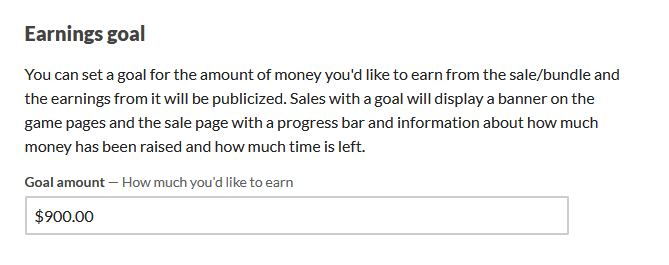
You’ve just created your first itchfunding campaign! You have a game page with a funding tracker on top, good informational graphics and tiers of support where people can pledge at different levels and you can collect and respond to people based on their tiers!
Here’s some more information: https://liminalhorrorrpg.com/Game%20Design/Funding/
This is an entry in the Commonplace Book of Sparkwood and 21. A commonplace book is a personal compilation of knowledge, ideas, quotations, and observations collected by an individual. Feel free to link and reference any entries you find useful.